How to Keep Your Writing Voice in an AI Screenplay
Give an AI screenplay draft useful voice direction through action style, dialogue habits, writing samples, character tactics, and a practical revision pass.
AD
Ankitraj Dwivedi
Co-founder and screenwriter
To keep your writing voice in an AI screenplay, describe the habits that make your pages sound like you: action rhythm, dialogue length, humor, silence, and emotional restraint. Add a short representative writing sample, distinguish each character’s speech, and specify the scene’s intended choices. Treat the generated pages as a draft and revise where the language or emotional emphasis drifts.
The plot can be correct and the page still feel wrong. A character explains a feeling you would leave unspoken. An action paragraph decorates an image you would describe in six words. Those differences matter because voice shapes how the audience experiences events.
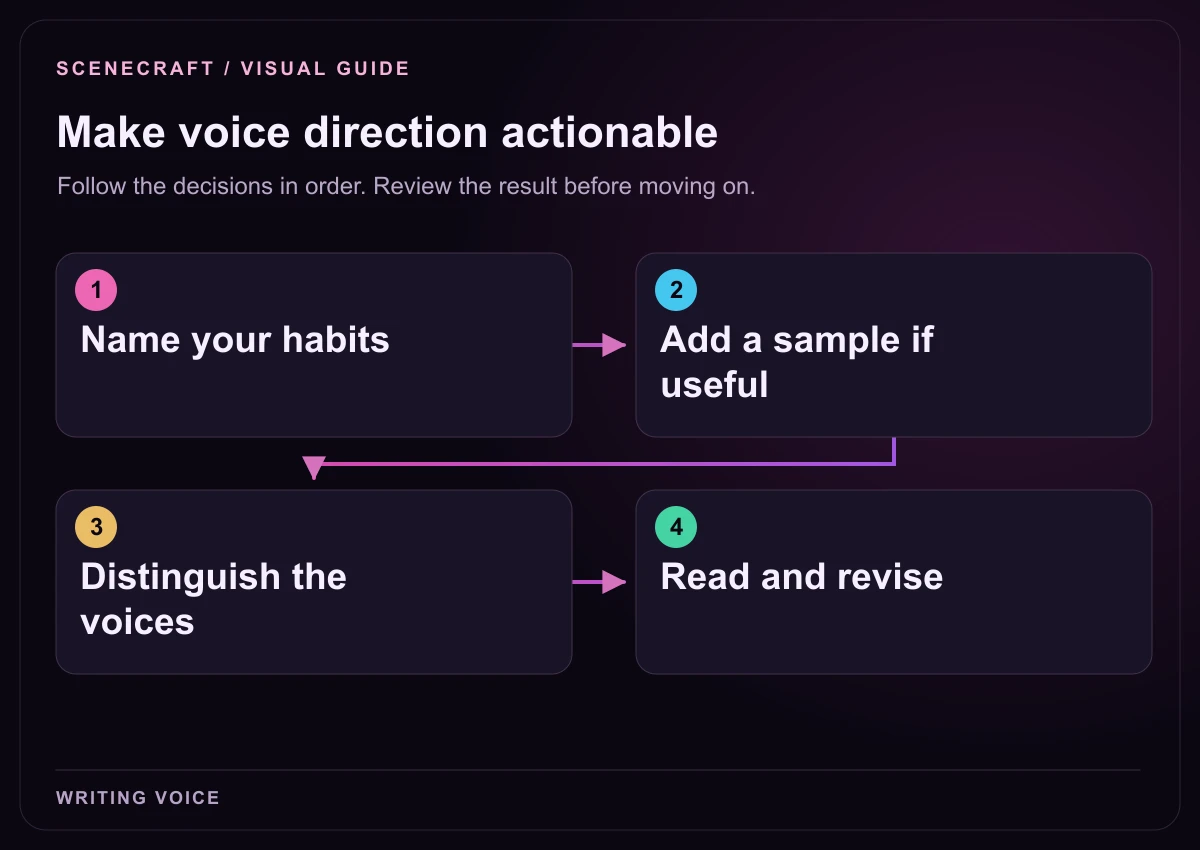
1. Name your habits: Action rhythm, detail, humor and silence. 2. Add a sample if useful: Choose your own representative passage. 3. Distinguish the voices: Give characters different dialogue tactics. 4. Read and revise: Check intent, behavior and rhythm.
Separate writer voice, character voice, and story intent
Writer voice is the pattern across the screenplay: how you describe action, choose detail, handle pace, and invite the reader to infer meaning. Character voice belongs to one person: their vocabulary, evasions, habits, and way of seeking control. Story intent is the event and consequence the scene must deliver.
Give the layers different notes. “Keep action lean” does not tell Maya how to apologize. “Maya avoids emotional nouns” does not prevent a rescue subplot. “Arun refuses the keys” identifies a consequence, but not how the exchange should sound.
Layer
Useful instruction
What it protects
Writer voice
Use short action paragraphs and concrete physical detail. Let pauses carry embarrassment.
The reading rhythm and emotional distance of the pages.
Character voice
Maya answers emotional questions with practical details; Arun uses dry jokes when hurt.
Distinct dialogue and recognizable ways of handling pressure.
Story intent
Arun refuses the keys after learning Maya concealed the maintenance record.
The decision and consequence that move the story forward.
Make these layers compatible. Restrained dialogue becomes difficult if the scene must explain every piece of family history. Decide what the audience needs now and what they can infer later.
Replace adjectives with observable writing habits
“Emotional, cinematic, and natural” may express an ambition, but it leaves many possible styles open. Describe the page-level choices you would make while revising. This gives you something concrete to check when a draft returns.
Broad direction
More useful direction
Make it cinematic.
Describe visible actions and sounds. Use one telling detail rather than a sequence of decorative adjectives.
Keep it emotional.
Let the siblings avoid the accusation until one practical mistake makes avoidance impossible.
Write natural dialogue.
Keep most responses brief. Allow interruptions. Do not make every reply answer the previous question directly.
Make it funny.
Use the siblings’ familiar workshop habits for dry humor; keep jokes away from the evacuation danger.
Make the ending powerful.
End with Arun handing Maya a tool without being asked. Do not add a speech announcing reconciliation.
Describe your usual habits and the exceptions that matter. A character finally speaking directly can become powerful because you first established their avoidance.
Build a compact voice brief in SceneCraft
Open your project’s Visual Story section and choose Story direction. Under Make it sound like you, add Tone, Your writing voice, and an optional writing sample. Voice notes and samples are optional; they provide additional direction alongside the premise, cast, and story flow.
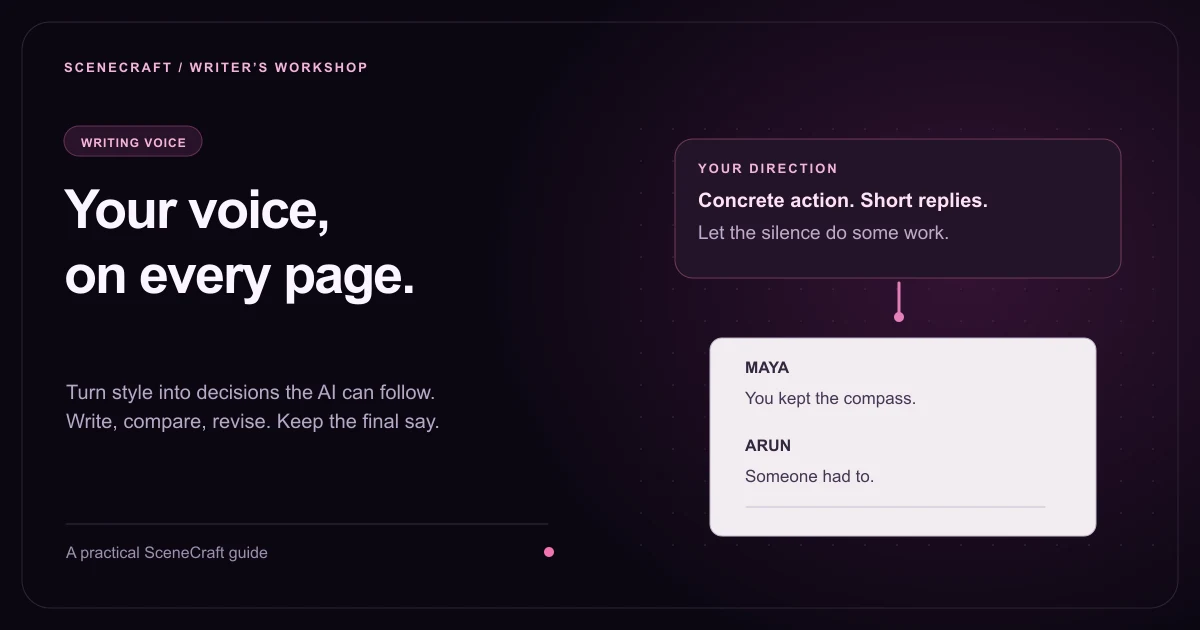
The brief names rhythm, detail, dialogue behavior, humor, and an exception. It describes choices the author can recognize and revise.
Use Creative boundaries for decisions that must survive generation. In Must include, specify an exact line or motif if it is essential. In Must never happen, record unwanted twists, explanatory speeches, or emotional conclusions. If a restriction matters only to one scene, put it in that beat’s Must avoid field instead.
Choose a sample that represents your current aim
Choose a short passage of your writing with the tension, dialogue, or action you want now. A comic exchange may give the wrong emphasis to a quiet confrontation.
Select a passage and explain what it represents: “Use the short action paragraphs and understated responses; these events are unrelated to the new story.” The sample guides style, not additions to your plot.
Without a sample, try writing ten lines. They can reveal how often characters interrupt, whether gestures separate replies, and how quickly you cut away.
Give each character a way of protecting themselves
Dialogue becomes more distinctive when you describe what a character does with words. In Character map, open the person’s details and use Voice & mannerisms under Backstory & voice. Tie the direction to their goal and inner conflict.
Maya redirects personal questions toward tools, schedules, and repair steps. Under pressure, her sentences get shorter. Her clearest emotional line should arrive only when she stops controlling the explanation.
Arun makes practical objections and dry jokes. He avoids asking Maya to stay because he expects refusal. When he does ask a direct question, the scene should make room for it.
Leela speaks in instructions while she still holds authority. After revealing the maintenance failure, she switches from orders to precise admissions and requests.
These notes distinguish speech without a catchphrase in every line. Remove the names: can you still identify who is persuading, delaying, or protecting a secret?
The character relationship map guide explains how different goals and relationship pressures create those dialogue tactics. A voice note works better when the character has something specific to gain or lose.
Put the emotional turn into the beat
In Story flow, use the summary for visible action, Emotional goal for the intended feeling, and Outcome for the result the scene must reach. Select the characters involved.
For the workshop confrontation, the summary could be: “Arun discovers Maya kept the failed inspection record from him while they search for the warning lamp.” The emotional goal is that a familiar routine becomes an accusation. The outcome is that Arun refuses the keys. Must avoid can say: “No reconciliation yet; no explanatory monologue about their childhood.”
Here is an illustrative revision example, not a claim about an automatically generated result. A direct explanatory line might read: “You abandoned me, and now you expect me to trust you because you need my help.” It communicates the conflict, but it resolves too much of the subtext into a statement.
The practical request remains active while the personal injury surfaces. Arun’s action changes Maya’s options. A different screenplay might need a direct confrontation; check what serves the voice and moment you chose.
Review a generated scene in three passes
Check intent first. Does the scene reach the planned outcome through the intended character’s choice? Remove new explanations or developments that change the conflict.
Check behavior next. Highlight lines that only deliver information. Ask what the speaker is trying to obtain, conceal, or avoid, then revise the line around that tactic.
Read for rhythm last. Trim action that repeats the visible point, read dialogue aloud, and keep silence where you would normally allow a reader to infer the feeling.
Rewrite sentence-level choices in the Editor. Update recurring problems in the voice brief or character notes before generating again. If every scene adds a final explanatory line, record that habit in Must avoid rather than correcting it only after each draft.
Review credit estimates before generating again. Rewriting a weak line yourself can be more useful than requesting a new draft. The AI screenplay writing guide covers the wider drafting workflow.
Writing voice and AI screenplay questions
Can AI match my writing voice exactly?
Voice notes and representative samples can guide a draft, but exact artistic fidelity is not guaranteed. Review language, emotional emphasis, and character behavior, then revise anything that does not sound or feel like your writing.
Do I need a writing sample to generate a screenplay?
No. Voice notes and writing samples are optional in Visual Story. You can generate from the premise, named characters, and directed beats, then add clearer style guidance as you learn what the draft needs.
What should I put in a screenplay voice brief?
Describe action length, the kinds of detail you notice, dialogue rhythm, humor, silence, emotional restraint, and habits you want to avoid. Use instructions that you can recognize on the page instead of only broad adjectives.
How can I stop every character from sounding the same?
Give each character a specific objective and a different way of using speech to pursue it. Record evasions, persuasive tactics, habits under pressure, and moments when those habits change in Voice & mannerisms.
Where should I correct a draft that changes my intention?
Correct the underlying premise, beat, outcome, relationship, or boundary in Visual Story. Refine wording and action in the Editor. A persistent style problem belongs in your voice direction so future drafts receive the same guidance.